

Apple's New Parental Control Changes Are a Mixed Bag
Some of the new changes are great, but the family friendly company could be doing more.

Last week, Apple held its annual Worldwide Developer Conference (WWDC), where the company detailed new updates to the operating systems for iPhones, iPads, etc. Amidst Apple’s artificial intelligence reinvention, the company spent a shocking amount of time—more than 10 minutes—discussing updates to its parental controls.
You can watch the relevant clip below, which is worth watching in full:
The most important update in Apple’s next OS, which tends to drop in September alongside new hardware and is already available in beta form if you’re feeling spicy, is the interface for “Screen Time” being completely overhauled and much easier to parse.
The other updates include:
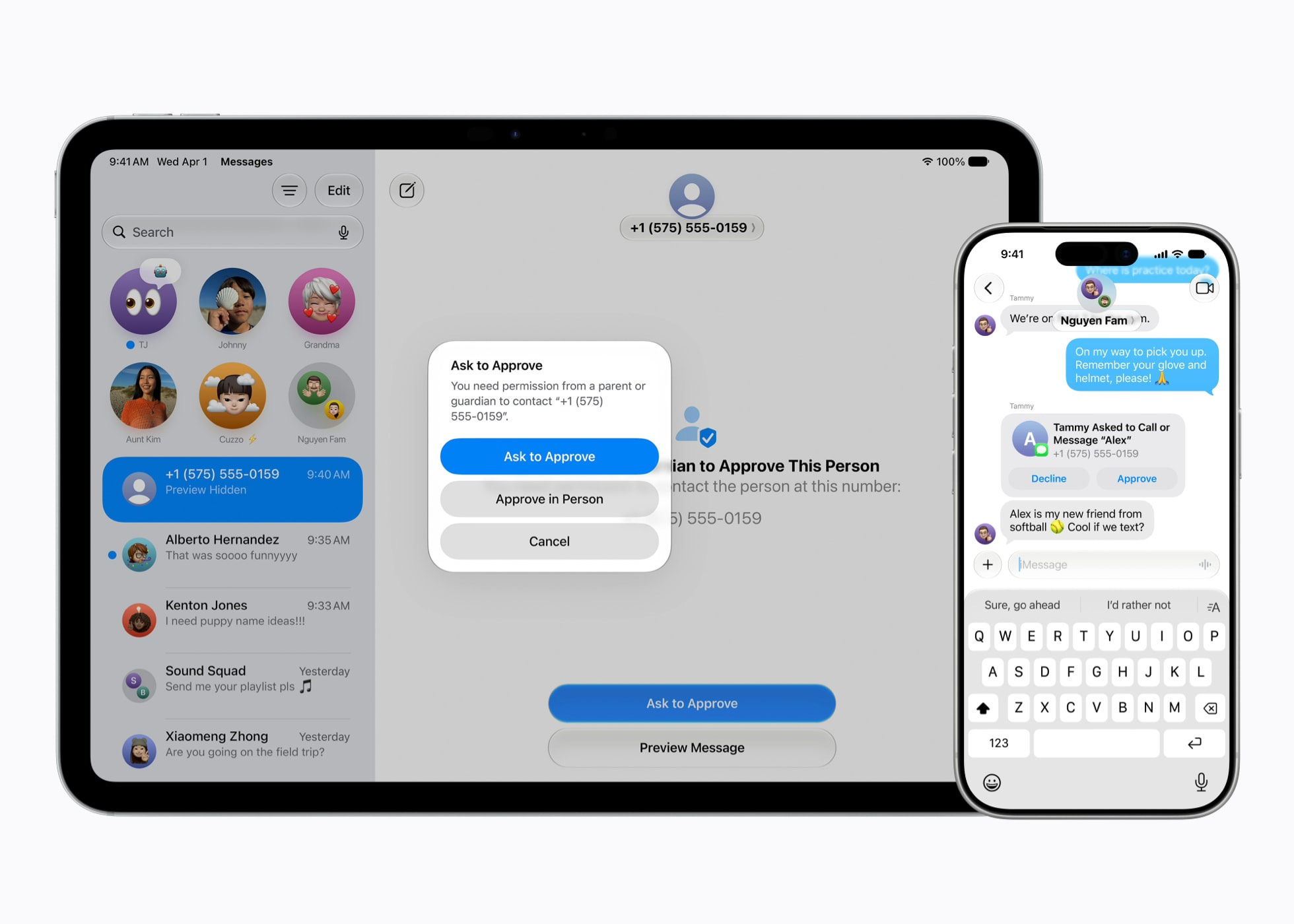
Children can ask permission to add a new contact
The system will now block “gore or violent content” in a shared image or video
Upon setting up a child account, the system recommends apps you should allow at device start, based on science-driven recommendations around what’s appropriate for various age groups. Parents can also choose to allow (or deny) any apps
“Ask to Browse” allows kids to be granted permission for new websites on demand
In the current system, a website is blocked until a parent enters a passcode to grant permission, or they manually add a website to a permitted list in settings
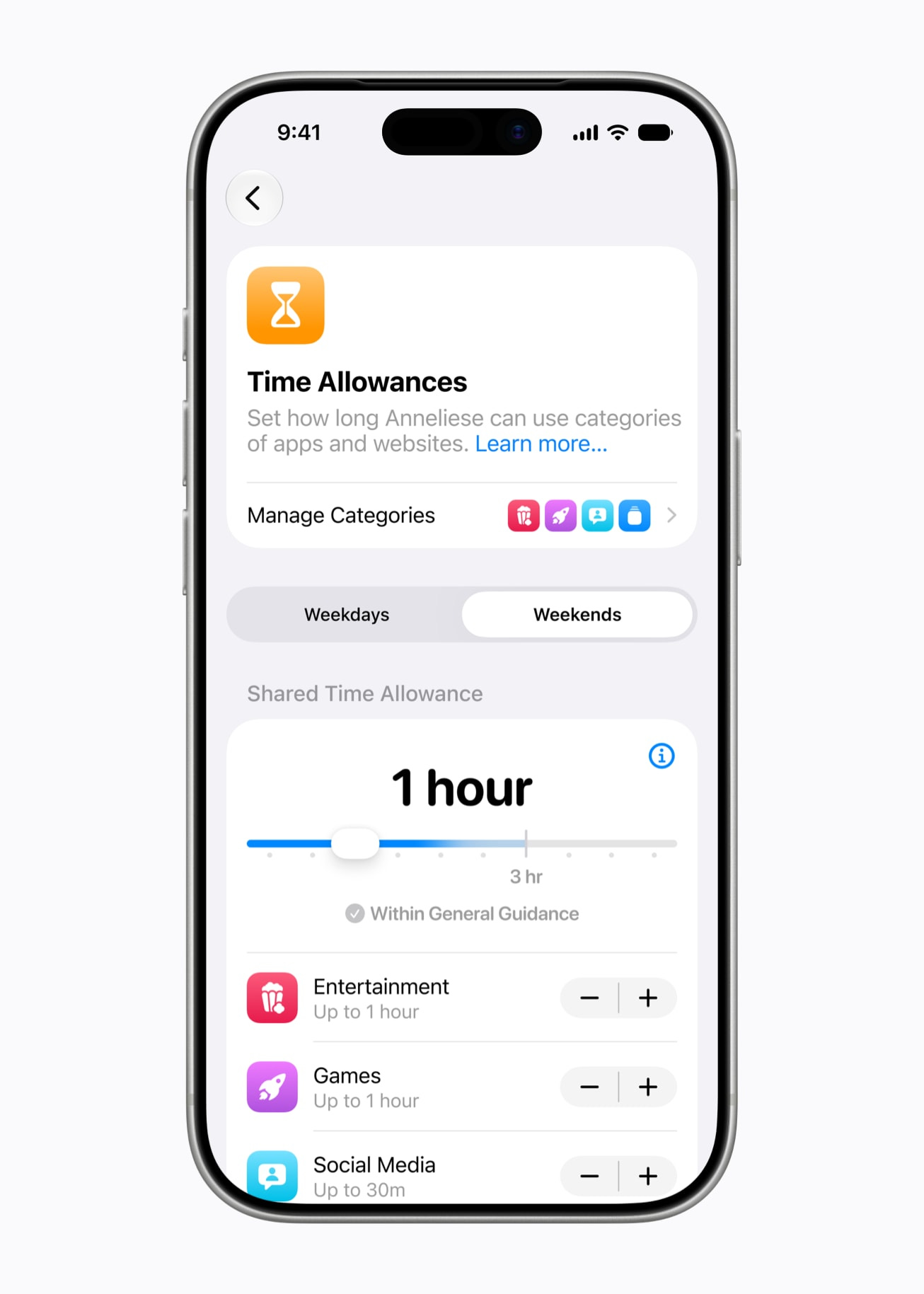
“Time Allowances” streamlines granting different time permissions for different apps (and groups of similar apps, like games) and makes it easier to differentiate how children are likely to use devices differently on both weekdays and weekends
It’s now (finally) possible to immediately pause a child’s device with a single click
The interface update is terrific—it looks like it’s made by humans! Humans who actually have children using Apple devices! The previous interface looked like it was made by technologists completing a check list. The interface was so obtuse and weird, not to mention buried deep in the settings app, that I often avoided engaging with it.
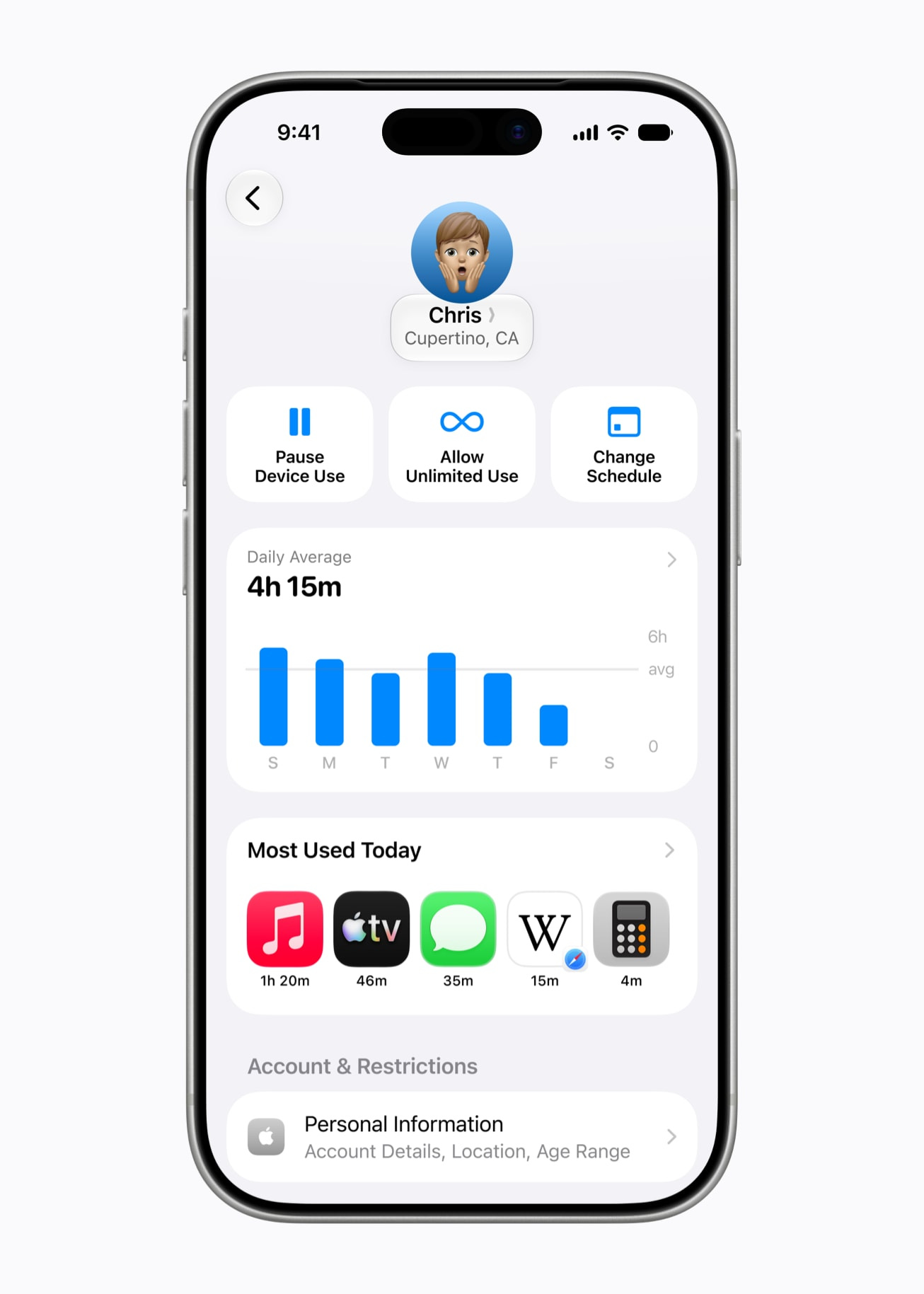
One of those problems (the interface) is better. One of the others (buried in the settings app) is not. To engage with Screen Time settings—like wanting to tap that new button to immediately pause a device—involves too many steps for a simple task.
Pick up your phone
Wait for FaceID to engage
Navigate to the Settings app
Click on “Family”
Click on the appropriate family member
Tap “pause devise use”
Apple confirmed to Crossplay that Screen Time is, sadly, not becoming its own app, akin to Google’s excellent Family Link app that Screen Time appears to be riffing on.
But could you ask Siri to lock your child’s device? Sadly, the answer is no.
In theory, more robust options for when and how long your children are engaging with various apps means you should be spending less time futzing around with the customization options, but at least in our house, we’re conservative on the amount of time the children are given to use their devices. Extended use becomes a conversation over “Are chores done? What else were you asked to do today? Did you take the garbage out? Sorry, we’re leaving soon.” We often grant more time—after talking.
(In general, the kids have one hour of free time on weekdays, two hours on weekends, and anything beyond that is where we talk about what they’re doing and when. We do not currently really differentiate between whether it’s videos, Roblox, or something else, but there are occasions where, say, we’re only bringing the device so that one of them can practice drawing by using a specific app for that purpose and nothing more.)
It’s possible some changes could come before the update is finalized, but Screen Time getting its own app seems unlikely. The best we can hope for is being able to invoke Siri, or use the system’s Shortcuts app, to find a way to better achieve these features.
Oh, right. My other hobby horse.
I’m told that, once again, the only options for extending time when a child asks for it is increments of “one minute,” “15 minuets,” “one hour,” and “all day.” Which means Screen Time is, once again, lagging behind functionality available in Family Link.
There are also other basic and foundational issues with Apple’s Screen Time. Just yesterday, my six-year-old was home in-between a cheerleading camp and daycare. I was finishing up some emails, so I let her use her device a little longer than usual. Her request for more time came through to my laptop, I granted her 15 minutes, and…nothing. On my side, it said the request was approved. On her side, nothing changed.
Instead, I had to walk over and manually punch in her passcodes. Wonderful.
I’m told the architecture has been reworked for this update—an update, mind you, that won’t be available for several more months, aka all summer—but if your response is “Why didn’t this work from the start? Isn’t Apple’s pitch stuff just works?” Mmm.
All told, these are positive steps. But to crystalize my requests to Apple for the future:
A dedicated Screen Time app
The ability to invoke Siri or other shortcut-like features to lock devices
Granular control over extending screen time to accommodate specific requests
Maybe next year.
Have a story idea? Want to share a tip? Got a funny parenting story? Drop Patrick an email.
Also:
Apple’s policies on parental controls has long been fraught. In general, the company wants you to use their controls. I get it. But they need to be best in class.
Parental controls from the companies that make devices is, on its face, a problem. They are selling the devices and telling you the safest way to use them?
The move to Ghost is happening soon. I’ve been waiting for Crossplay’s annual subscriptions to move through the backend before hitting the big, scary button.
I’ve been wrestling with Apple’s parental controls for 10+ years, going all the way back to my then 5 year olds iPod Touch. They’ve been shockingly stagnant in developing it into a powerful usable parental tool. I’m glad to see they’re making some progress.
As a side note, one improvement I’ve noticed in the Beta is when a parental setting blocks something from functioning it actually tells you now. In the past some operation on the phone wouldn’t work but it would give no indication as to why. Leading to scrolling through parental settings hoping to find the culprit.
I remember having to dial in parental controls for 15+ iPads at the after-school program I worked at, and it was a nightmare.
Good to know they're making improvements, but some things they don't need total control over.